Powered by ai 
Best Solution to Integrate Salesforce and ServiceNow
Sync incidents, requests, and customer data seamlessly to improve collaboration between service and sales teams.
ServiceNow + Salesforce Integration: From Code to Customer
Connect your sales pipeline with your dev process. Automatically sync work items, commits, and releases with Salesforce records. Reduce manual effort, track progress in real time, and keep every stakeholder. From sales to engineering, all on the same page.

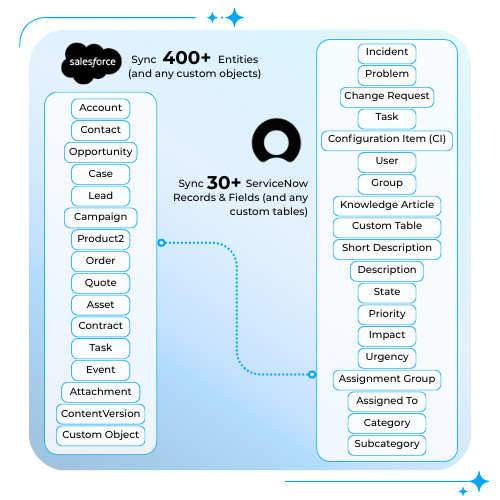
Two-way sync of any object or field in ServiceNow or Salesforce
- Two-way synchronization between Salesforce objects and ServiceNow.
- Sync standard & custom fields.
- Automatic updates on both sides.
- Configurable sync rules (flexibility for admins).
Book a demo
Powerful Features, Simple Setup
Core Integration
- Secure Connectivity. Connects using Salesforce Named Credentials, ensuring secure storage of credentials (supports Basic Auth/Legacy and is ready for modern standards).
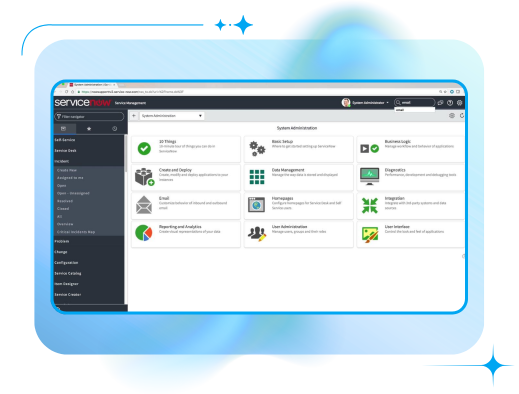
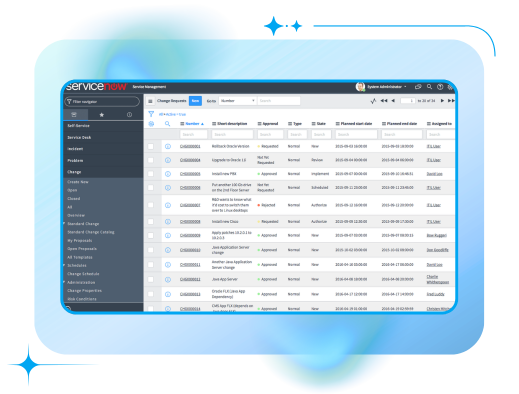
- Multi-Table Support. Works with standard ITSM tables (Incidents, Problems, Change Requests) and can be configured to push data to Custom Tables in ServiceNow.
See it in action
Automation (SF → SN)
- Salesforce-Driven Sync. (One-Way Automation) Automatically creates or updates records in ServiceNow based on Salesforce triggers. Ensure your support team pushes Incidents to IT without leaving Salesforce.
- Native Flow Integration. Provides a dedicated Apex Action (Create/Update ServiceNow Record) for Salesforce Flow. Automate logic like “If Case is High Priority -> Create Incident in ServiceNow”.
- Asynchronous Processing. Built to execute sync processes asynchronously (executeAsynchronously), ensuring that Salesforce performance is not impacted during data transfers.
See it in action
UI & Experience
- Live Data View (LWC). (Real-Time Visibility) A Lightning Web Component that fetches and displays live data from ServiceNow directly on the Salesforce Record Page. No need to store data in Salesforce to see it.
- Direct Creation & Linking. Users can manually Create a new Incident or Link an existing ServiceNow ticket directly from the Salesforce interface.
- Related List Layouts. (Configurable UI) Admins can define exactly which ServiceNow columns (e.g., State, Priority, Short Description) are fetched and displayed in the Salesforce component.
See it in action
Support & Collaboration
- In-App Support. A dedicated “Support” tab directly in the app configuration. Allows admins to send logs or questions to the support team.
- Project Settings Wizard. Simple wizard to select which ServiceNow tables need to be connected for outbound synchronization.
- Comments & Files Visibility. Allows users to view and add Work Notes / Comments and Attachments to ServiceNow records directly from the Salesforce interface (via LWC), ensuring seamless communication between Support and IT.
See it in action
Integration Without Complexity


AI-Powered Solution
- Works with OpenAI/ChatGPT, Claude, Google Gemini, ChatPDF
- AI summarization of ticket history, customer interactions, and case context
- AI-generated suggestions for incident categorization, resolution steps, or routing
- Intelligent prioritization of cases before they reach ServiceNow
- Automated analysis of recurring issues and detection of patterns
- Ability to add any additional AI provider on request at no extra cost

Why Peeklogic Connector for Salesforce and ServiceNow?
Trusted by Businesses Worldwide to Power Salesforce Integrations


Ready to simplify your Salesforce integrations?

Frequently Asked Questions


HubSpot Integration via Peeklogic Connector for NetSuite read more
October 21, 2025