August 10, 2026
 137 Views
NetSuite Salesforce Integration: The Complete Enterprise Guide


Picture this:
Your rep closes an Opportunity on Friday. Before finance can invoice, someone retypes the account details, the line items, the discount agreed on the call, and the payment terms. Nobody tells the rep when the invoice goes out, so when the customer asks three weeks later, the rep opens a Slack thread to find out. Teams lose time, patience, customers and ultimately, money. That is a lead-to-cash cycle running on copy and paste.
Peeklogic Connector for Salesforce and NetSuite closes that handoff. It connects the system where your deals are won, to the system where they get billed, so that your team can focus on what they do best.
Research shows that the average gain in customer satisfaction can be as high as 20% once the two systems are connected.
And that is obvious enough, once you think about it: customers are happier when your records stay linked and current so that your team can do their best work.
And the best part for your team? The solution is tailored to their needs, but it’s all configured, not coded.
Limited time offer: The second year of Peeklogic Connector costs nothing
Claim the offerSalesforce-NetSuite Integration: Key Takeaways
- NetSuite Salesforce integration links CRM records such as Accounts, Opportunities and Products to NetSuite Customers, Sales Orders, Invoices and Items, so both teams read the same numbers.
- Peeklogic Connector maps any Salesforce object, standard or custom, to NetSuite records, and supports 1-to-Many and Many-to-Many relationships rather than simple record pairs.
- Automation runs through a dedicated Apex Action in Salesforce Flow Builder, so your admin can build “when an Opportunity closes, create a NetSuite Sales Order” without writing code.
- Invoice, payment and balance data flowing back from NetSuite gives your reps real-time visibility into billing, so nobody has to ask finance for a status.
- Authentication is password-less: NetSuite Token-Based Authentication paired with Salesforce OAuth 2.0.
- ERP context mapping covers the structures Salesforce has no concept of, including subsidiaries, multi-currency, pricebooks, state and country values, and work calendar alignment.
- A one-month trial period is built into the licensing, so your finance team can validate the numbers against real records before you commit.
What Is a NetSuite Salesforce Integration?
NetSuite Salesforce integration connects your Salesforce CRM records with your NetSuite ERP records so that a change in one system is reflected in the other.
In most deployments the flow runs both ways. A Closed Won Opportunity creates a Sales Order in NetSuite. Invoice status, payment status and fulfilment updates travel back to the Salesforce Account, where your reps and account managers work. Neither team has to open the other team’s system to answer a routine question.
Salesforce
Salesforce holds the commercial relationship. Accounts, Contacts, Opportunities, Quotes, Products and Price Book Entries, plus whatever custom objects your org has accumulated. It is built for the part of the transaction that happens before the signature.
NetSuite
NetSuite holds everything after it. Customers, Sales Orders, Invoices, Payments, Credit Memos, Items, and the subsidiary structure that determines which entity books the revenue. The same system runs procurement and revenue recognition, so a record that starts life as an order ends up inside your financial statements. It is a system of record for finance, which changes what an error costs.
That difference is the whole reason this integration is treated more carefully than a CRM-to-project-tool sync. A wrong field in a support ticket is a nuisance. A wrong field on an invoice is a financial event.
Benefits Of Integrating Salesforce With NetSuite
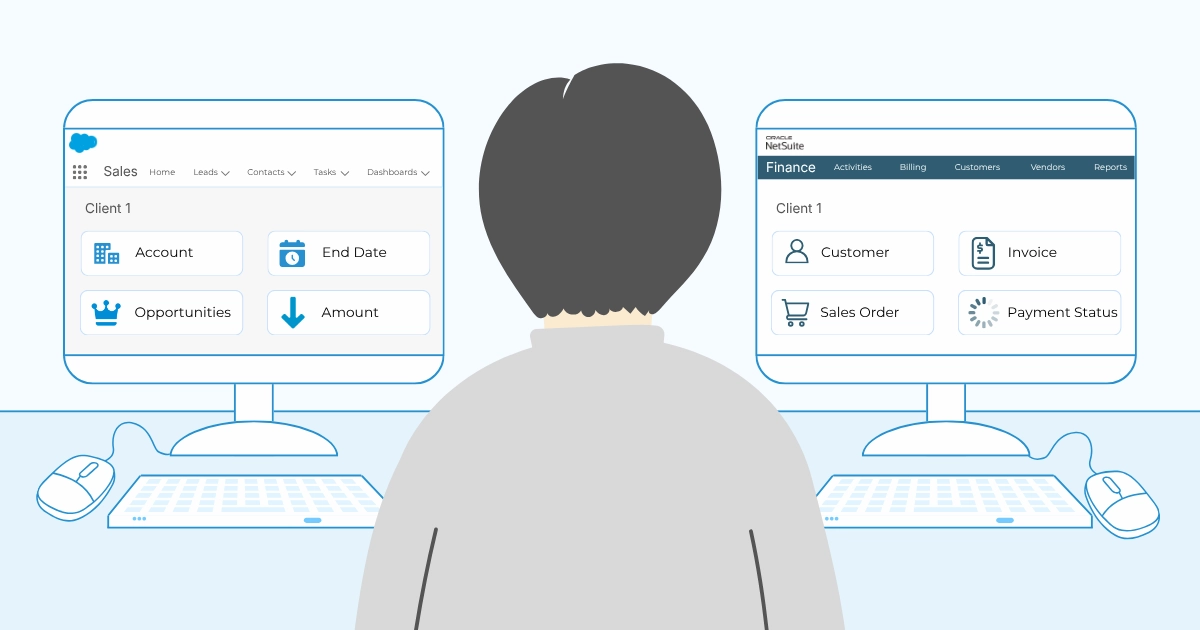
Somebody in your organisation currently reads a closed deal in one browser tab and enters it in another.
And that is unsurprising, because the two systems were never designed to share a schema. NetSuite Customers carry credit limits, payment terms, tax registration and subsidiary assignment. Salesforce Accounts hold none of those.
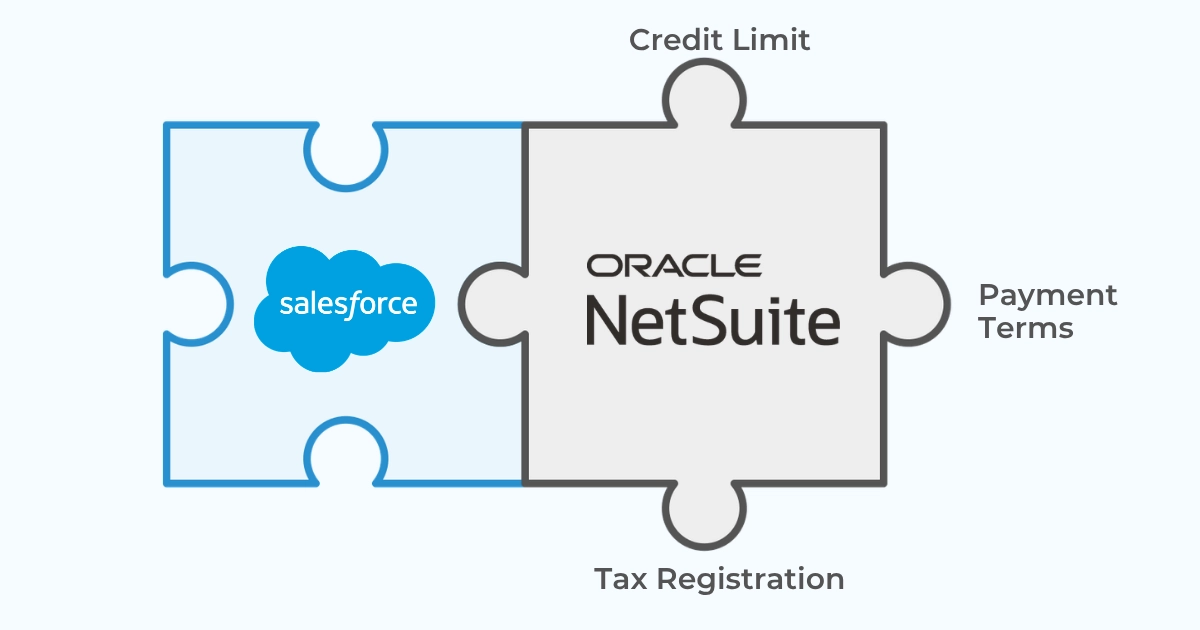
So each transfer involves a small stack of decisions about where missing values come from, and by default a person makes those decisions by hand (at speed, at quarter end).
What the Manual Handoff Costs You
Without an integration, your teams spend time on:
- manual data entry of account and order details that already exist in Salesforce
- chasing finance for invoice and payment status on behalf of customers
- reconciling records at close because two systems disagree
- quoting against credit limits and terms nobody can see from the CRM
- correcting orders that landed against the wrong subsidiary
Connecting the two systems addresses each of those directly:
- One customer record, two systems. Your Account and your NetSuite Customer stay linked, so CRM and ERP data describe the same customer instead of drifting into two versions of one.
- Faster invoicing. A closed deal becomes a Sales Order without waiting for someone to have time.
- Visible payment status. Reps see whether an invoice cleared without asking anyone.
- Fewer disputes. Line items, pricing and discounts carry across as agreed rather than as remembered.
- Cleaner close. Finance reconciles fewer exceptions because fewer are created.
- A better customer experience. Your customer gets the answer on the first call, instead of waiting out a Slack thread between two departments.
And the collaboration between sales and finance improves for a fairly dull reason: there is nothing left to ask each other about.
The numbers are already sitting in both systems.
Common NetSuite Salesforce Integration Use Cases
Quote to Cash
The core workflow. A Closed Won Opportunity generates a NetSuite Sales Order carrying line items, quantities, agreed pricing and discounts, routed to the correct subsidiary. Invoice generation follows in NetSuite, and the resulting invoice number and status appear back on the Salesforce Opportunity or Account.
Your rep follows the deal end to end, from closed to invoiced to paid, without leaving the CRM. For teams measuring the whole lead-to-cash cycle, this is the segment where the days usually disappear.
Customer and Account Master Data
New Accounts created in Salesforce become NetSuite Customers, with the mapping between them held permanently. Updates flow in whichever direction you configure. Many finance teams make NetSuite authoritative for billing fields while Salesforce stays authoritative for commercial fields, and the connector supports that split per field.
Product and Item Catalogue Sync
Salesforce Products and Price Book Entries map to NetSuite Items. The documentation walks through exactly this: select Product on the Salesforce side, select the matching NetSuite item type, save, then map the fields. Predefined sync object configurations ship with the connector, so common pairings are ready before you start.
Credit and Terms Visibility
Credit limit, payment terms and outstanding balance from the NetSuite Customer surface on the Salesforce Account. The integration allows your rep to check all three before quoting, rather than after the order gets rejected.
Invoice and Payment Status Feedback
Invoices, payments and credit memos raised in NetSuite flow seamlessly into the linked Salesforce records. Account managers answer billing questions from the record in front of them.
Renewals and Recurring Revenue
Subscription and renewal records held in NetSuite feed back into Salesforce so that the team owning the relationship can see contract dates, amounts and billing state alongside the pipeline. Your forecast then runs against contracted revenue instead of a spreadsheet somebody updates on Fridays.
What Data Can Be Synced Between Salesforce and NetSuite
Peeklogic Connector synchronises 50+ entities across both platforms, standard and custom.
Salesforce records
- Accounts
- Contacts
- Opportunities
- Quotes and Quote Line Items
- Orders and Order Products
- Products and Price Book Entries
- Cases
- Custom objects
NetSuite records
- Customers
- Sales Orders
- Invoices
- Payments and Credit Memos
- Items, including inventory and service item types
- Subsidiaries
- Custom records
Record data
- Standard and custom fields
- Line items and their quantities, rates and discounts
- Statuses across the order and invoice lifecycle
- Currency and subsidiary assignment
- Record relationships and hierarchy
Relationship handling is where enterprise requirements usually exceed what a basic connector offers. Peeklogic supports 1-to-Many and Many-to-Many relationships, so one Salesforce Account can hold several linked NetSuite records and one NetSuite record can relate to several Salesforce records. Bulk and hierarchy sync handles the cases where a parent record and its children need to move together rather than one at a time. Scalability follows from that: an Opportunity with forty line items crosses in one operation instead of forty.
See a Closed Won Opportunity become a NetSuite Sales Order on a free demo call
Book a demoSalesforce and NetSuite Field Mapping
Once you have chosen which objects connect, the next decision is how individual fields align and which system wins when both can write:
| Salesforce | Direction | NetSuite |
|---|---|---|
| Account | ↔ | Customer |
| Account Name | ↔ | Company Name |
| Billing Address | ↔ | Billing Address |
| Opportunity | → | Sales Order |
| Opportunity Amount | → | Order Total |
| Opportunity Line Items | → | Sales Order Lines |
| Product / Price Book Entry | ↔ | Item |
| Order Status | ← | Order Status |
| Invoice Number | ← | Invoice |
| Payment Status | ← | Payment |
| Credit Limit | ← | Credit Limit |
| Payment Terms | ← | Terms |
| Currency / Subsidiary | ← | Subsidiary |
| Custom Fields | ↔ | Custom Fields |
Direction is a per-field choice, and on an ERP integration it carries real weight. Financial fields typically flow one way, from NetSuite into Salesforce, because finance owns them. Commercial fields flow the other way. A handful stay bi-directional, and those are the ones worth thinking hardest about, since two systems writing to the same field need a rule for which value survives.
Peeklogic handles this through Object Synchronization. You create a sync object configuration, manage the field mappings inside it, then attach automation rules. Mapping options cover dynamic Field References and static Default Values, so a NetSuite field with no Salesforce source can still be populated correctly rather than left for someone to fill in at month end.
Sync automation rules narrow what moves. You can scope a sync to a condition, for example only Accounts with Type set to Customer, so the integration carries the records finance needs and leaves the rest in place.
ERP context mapping handles the structures Salesforce has no concept of: subsidiary mapping, multi-currency, pricebooks, state and country values, and work calendar alignment.
Key Features of a NetSuite and Salesforce Integration
Which of the above matter depends on your business needs. A mid-market org running a single subsidiary leans on a different subset than a NetSuite OneWorld account billing in four currencies, so read the list against your own quote-to-cash flow:
- Real-time bi-directional sync. Salesforce to NetSuite fires from a Flow or from the UI. NetSuite to Salesforce reflects creates, updates and deletes immediately, based on your mapped fields, which is what gives your team real-time visibility rather than an overnight batch.
- Flexible object mapping. Connect any Salesforce object, standard or custom, to a NetSuite record. Salesforce Product to NetSuite Item is a common pairing. 1-to-Many and Many-to-Many are supported.
- Sync automation rules. Scope a sync to a condition, and choose between dynamic field references and static default values per mapping.
- Native Flow Builder support. A dedicated Apex Action gives your admin declarative control over when records move and what they carry.
- Bulk and hierarchical sync. An Opportunity syncs together with all its Opportunity Products as line items, rather than one call per record.
- ERP context mapping. Subsidiary mapping, multi-currency, pricebooks, state and country values, and work calendar alignment.
- Interactive Lightning component. Create a NetSuite record from Salesforce, search and link an existing one, or view live NetSuite fields on the record page.
- Deep linking. The component generates a direct link to the connected NetSuite record, and configurable custom metadata makes sure it opens the right record type. An Inventory Item and a Service Item land in the right place.
- Customize the UI layout. Your admin picks which fields appear in the component and can filter search results, for example to active customers only.
- Token-Based Authentication. NetSuite TBA with Salesforce OAuth 2.0, so no password is stored anywhere in the chain.
- One-month trial. Built-in license checks and active status management sit in General Configuration.
Together they simplify the two jobs that eat the most admin time: deciding what moves between the systems, and keeping it moving after the next release lands. Your admin sets the rules once. After that the connector automates the transfers your finance team currently does by hand.
NetSuite Salesforce Integration Methods Compared
Your options run from writing the integration yourself to installing a connector, with integration platforms and other third-party tools sitting in between. Whichever route you take for integrating NetSuite and Salesforce determines cost, time to value, and who carries the maintenance for the next several years.
| Method | Implementation Time | Maintenance | Best For |
|---|---|---|---|
| Custom SuiteScript build | High, often months | Very high, owned internally | Deeply customised NetSuite accounts with complex requirements no product covers |
| NetSuite native connector | Medium | Medium, owned internally | Teams already committed to building inside NetSuite |
| Middleware | Medium | Medium to high | Moving data into a warehouse or reporting layer |
| iPaaS platform | Low to medium, often weeks | Medium, plus platform licence | Connecting many applications through one hub |
| Dedicated Salesforce-native connector | Low, days to weeks | Low, vendor-maintained | Quote-to-cash synchronisation without building an integration |
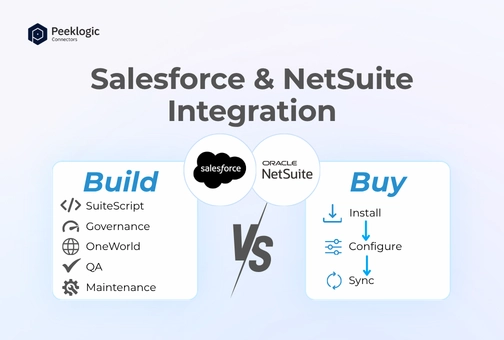
A custom salesforce and netsuite integration build gives you total control… and it hands your team two ongoing obligations that never expire. NetSuite ships two major releases a year and upgrades your account on its schedule, so compatibility testing becomes a fixed calendar item. NetSuite also meters script execution through governance units that no licence tier will raise, so the ceiling on what you can build is architectural.
Our integration experts broke both of those down in detail in our NetSuite build versus buy analysis.
A Salesforce-native pre-built connector installs into your org, configures through tools your admin already uses, and is maintained by the vendor across both release cycles. That last part streamlines the calendar as much as the build, since release testing stops being your team’s problem.
Challenges of Integrating Salesforce and NetSuite
These stay invisible during a proof of concept. They tend to arrive at a point where the integration finally matters, in other words, when it’s being put to a heavy use.
Obviously enough, this is a poor moment to discover an architecture problem such as:
- Governance limits. NetSuite assigns a unit cost to every API call and a fixed budget per script type. Exceed it and the script terminates where it stands. The ceiling is fixed, so the answer is architectural.
- Subsidiary routing. On OneWorld, one Salesforce org commonly feeds several subsidiaries with different currencies and tax rules. A misrouted order still validates. It simply books against the wrong entity, and you find out at close.
- Object model distance. Customers, Items and Sales Orders carry fields that have no Salesforce equivalent, and picklist values rarely align.
- Error tolerance. Duplicate invoices and misapplied payments have audit consequences, which raises the testing bar well above a typical integration project.
- Release cadence. Two NetSuite releases and three Salesforce releases a year, five scheduled compatibility events.
- Salesforce API and governor limits. Volume that works in a sandbox can hit ceilings in production.
- Finance sign-off. Somebody has to validate the numbers before this touches live invoices, and that step takes longer than the build.
None of it argues against a NetSuite-Salesforce integration. Each of these has a known answer, and a connector that already handles governance, subsidiary routing and release compatibility takes most of them off your team’s plate, which streamlines the build considerably. It also simplifies what your team needs to know about NetSuite, and that is where the durable saving sits.
Security and Compliance Considerations
An integration standing between your CRM and ERP, with financial records moving across it, should support token-based authentication, encrypted transfer, role-scoped access, audit logging and secure credential storage. ERP systems sit inside the audit perimeter, so anything holding write access to them gets reviewed on the same terms as the ledger itself.
Peeklogic Connector uses NetSuite Token-Based Authentication together with Salesforce OAuth 2.0. The connection is password-less, so nothing sits in a script parameter or a custom field waiting to be found, and it aligns with current NetSuite security standards. The product also carries HIPAA, ISO and GDPR compliance, which matters if your customer data crosses into regulated territory on its way to an invoice.
Ask one more question of any option you evaluate: who patches it. A vendor-maintained connector receives security updates as part of the subscription. A custom build depends on whoever still understands the code.
How to Integrate NetSuite With Salesforce Using Peeklogic
The integration process happens inside your Salesforce org, using tools your admin already knows:
1. Install the connector
Add Peeklogic NetSuite Connector to your Salesforce org and assign the permission sets.
2. Prepare NetSuite Web Services
Enable the SuiteTalk web services features your integration will use, and confirm the integration role has the permissions it needs.
3. Create NetSuite credentials
Generate the Token-Based Authentication credentials and store them through Salesforce Named Credentials.
4. Configure object synchronisation
In the Object Synchronization section, pair each Salesforce object with its NetSuite counterpart. Predefined configurations are available for common pairings, and you can create your own for anything custom.
5. Map the fields
Inside each sync configuration, map the fields and set the direction for each one. Financial fields usually flow from NetSuite into Salesforce. Commercial fields flow the other way.
6. Set your sync automation rules
Decide what qualifies. A rule can restrict a sync to Accounts with Type set to Customer, so only the records finance needs cross over.
7. Automate the workflow in Flow Builder
Use the Peeklogic Apex Action to create declarative rules. When an Opportunity closes, a Sales Order appears in NetSuite with subsidiary and item mapping already resolved, and its Opportunity Products arrive as line items.
8. Add the NetSuite component to your record pages
Drop the Lightning component onto Account, Opportunity or any custom object page. Your team can create NetSuite records, search and link existing ones, and read live NetSuite fields without switching systems. Deep links open the connected record at the correct record type.
9. Test in a sandbox against real volumes
Run validation on direction rules, subsidiary routing, rounding and partial failures before production. Test at peak volume rather than average, since that is where limits bite.
10. Roll out and monitor
Start with one team, expand once the numbers reconcile, and keep the sandbox for testing changes before they reach live invoices.
You can find the full walkthrough in the NetSuite connector documentation.
Best Practices for Salesforce NetSuite Integration
- Decide which system owns each field before you map anything. Write it down.
- Unify the customer identity first: one Account, one NetSuite Customer, one permanent mapping between them. Every other sync you build depends on that pair being correct.
- Bring finance into scoping rather than into UAT.
- Sync the fields both teams use, and leave the rest alone.
- Test subsidiary routing explicitly if you run OneWorld.
- Validate at peak volume, since averages hide the failures that matter.
- Review mappings after any process change on either side.
- Keep the reporting view visible to whoever owns the integration.
Why Peeklogic NetSuite Connector Is Different
Peeklogic NetSuite Connector is a Salesforce-native application rather than an external bridge sitting between two systems. That architecture is what keeps the connection seamless: your records move between Salesforce and NetSuite directly, with no third-party server sitting in the path.
What that gives you:
- administration inside Salesforce, in the interface your admin already works in
- declarative automation through Flow Builder and a dedicated Apex Action
- any Salesforce object, standard or custom, mapped to NetSuite records, with Many-to-Many support
- ERP context mapping for subsidiaries, currencies, pricebooks and calendars
- bulk and hierarchical sync, so an Opportunity carries its products across as line items
- an interactive component with deep links that open the right NetSuite record type
- Token-Based Authentication with Salesforce OAuth 2.0, and HIPAA, ISO and GDPR compliance
- vendor-maintained compatibility across NetSuite and Salesforce release cycles
On pricing, the connector includes a one-month trial period and then a fixed annual fee that stays the same in year three as it was in month one. Set that against a custom build, which carries an open-ended development cost plus indefinite recurring maintenance. One of those numbers goes into a three-year plan. The other gets revised.
Nonprofit discounts are available.
Want to see it in action before you commit?
Book a demoFrequently Asked Questions
The most reliable route for most teams is a Salesforce-native connector installed in your org and configured with object mapping, field-level direction rules, Token-Based Authentication and Flow Builder automation. Custom SuiteScript development remains an option for heavily customised NetSuite accounts.
Install a native connector, pair your objects, set the direction per field, then trigger the sync from a Flow. For a sales team, seamless integration has a narrow definition: the rep never opens NetSuite. Sales Order, invoice number and payment status appear on the Salesforce record they already work in.
A Salesforce-native connector from AppExchange, since there is no middleware to licence and no server to stand up. Deployments run in days to weeks against months for a custom SuiteScript build, and predefined sync object configurations cover the common object pairings before you map a single field.
Judge it on three things: whether a failed record is visible without digging through logs, what happens to a partial batch failure, and whether retries are automatic. Ask each vendor to show you a failed sync during the trial rather than describe one. Duplicate invoices and misapplied payments carry audit consequences, so test this at peak volume in a sandbox before it reaches live records.
Pair Account with Customer and Opportunity with Sales Order, map the financial fields to flow from NetSuite into Salesforce, then set a sync automation rule that fires on Closed Won and attach the Apex Action to a Flow. Invoice number, invoice status and payment status land on the Opportunity or the Account from there.
Review volume answers this better than a feature list. Peeklogic Connector holds 4.99 out of 5 from 147 reviews on Salesforce AppExchange, 4.9 out of 5 from 69 reviews on G2, and 5.0 out of 5 on Capterra. Check how long a vendor has maintained its listing across both release cycles before you commit to a NetSuite-Salesforce integration.
Peeklogic NetSuite Connector includes a one-month trial period, then a fixed annual fee per company. Nonprofit discounts are available, and a limited-time offer currently gives you a second year at no additional cost.
Accounts, Contacts, Opportunities, Quotes, Orders, Products, Price Book Entries, Cases and custom objects on the Salesforce side. Customers, Sales Orders, Invoices, Payments, Credit Memos, Items, subsidiaries and custom records on the NetSuite side. Peeklogic covers 50+ entities in total, with standard and custom fields.
Yes. Custom objects and custom fields are supported on both sides, which is what most enterprise NetSuite accounts require after a few years of use.
Yes. A Closed Won Opportunity can generate a Sales Order carrying line items, pricing, discounts and subsidiary assignment. Peeklogic provides a dedicated Apex Action for Flow Builder, and hierarchical sync brings the Opportunity Products across as line items in the same operation.

Accomplished Salesforce professional with a decade of experience in designing, developing, and managing robust integrations between Salesforce and enterprise systems, ensuring seamless data flow, operational efficiency, and enhanced business capabilities. Skilled in bridging complex technical requirements with practical business solutions to deliver secure, scalable, and high-performing integration architectures.
Contact us today!