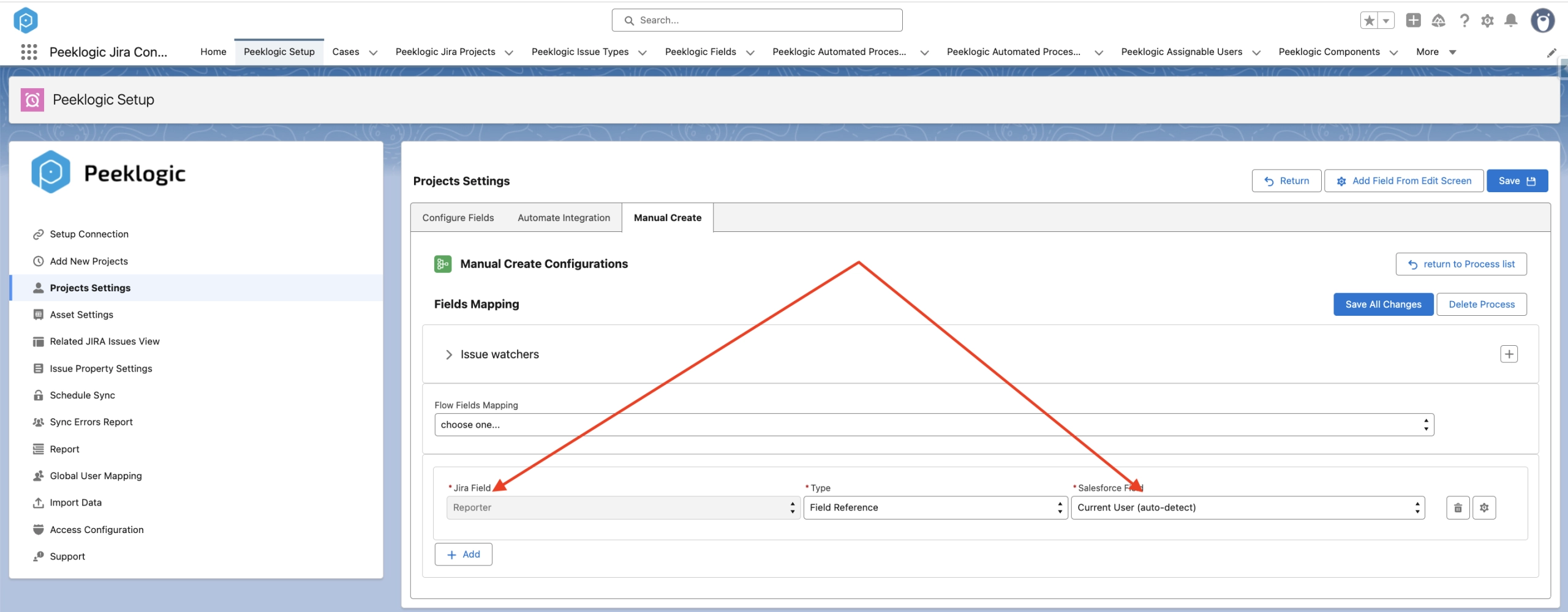
Configure mapping for manual creation of Jira Issue
Navigate to ‘Project Settings’ and choose the desired Project and Issue Types.

Click on ‘Manual Create’ to initiate the creation of a new Automation.

Enter Process Name and select the Salesforce object for which you wish to configure mapping with Jira Issue.

Choose a Jira Field and select the type of mapping:
- Field Reference: Select the corresponding Salesforce Field with a similar type.
- Default Value: Define the default value for the Jira field.
Click on ‘+Add’ to include more fields for mapping.

Additionally, you can map Jira Fields like Assignee, Reporter, etc., to Salesforce Fields.
- Map the appropriate fields and click on the ‘gear’ icon.

Then you can locate users by their email address.

To map the Reporter to the user who creates the Jira issue.